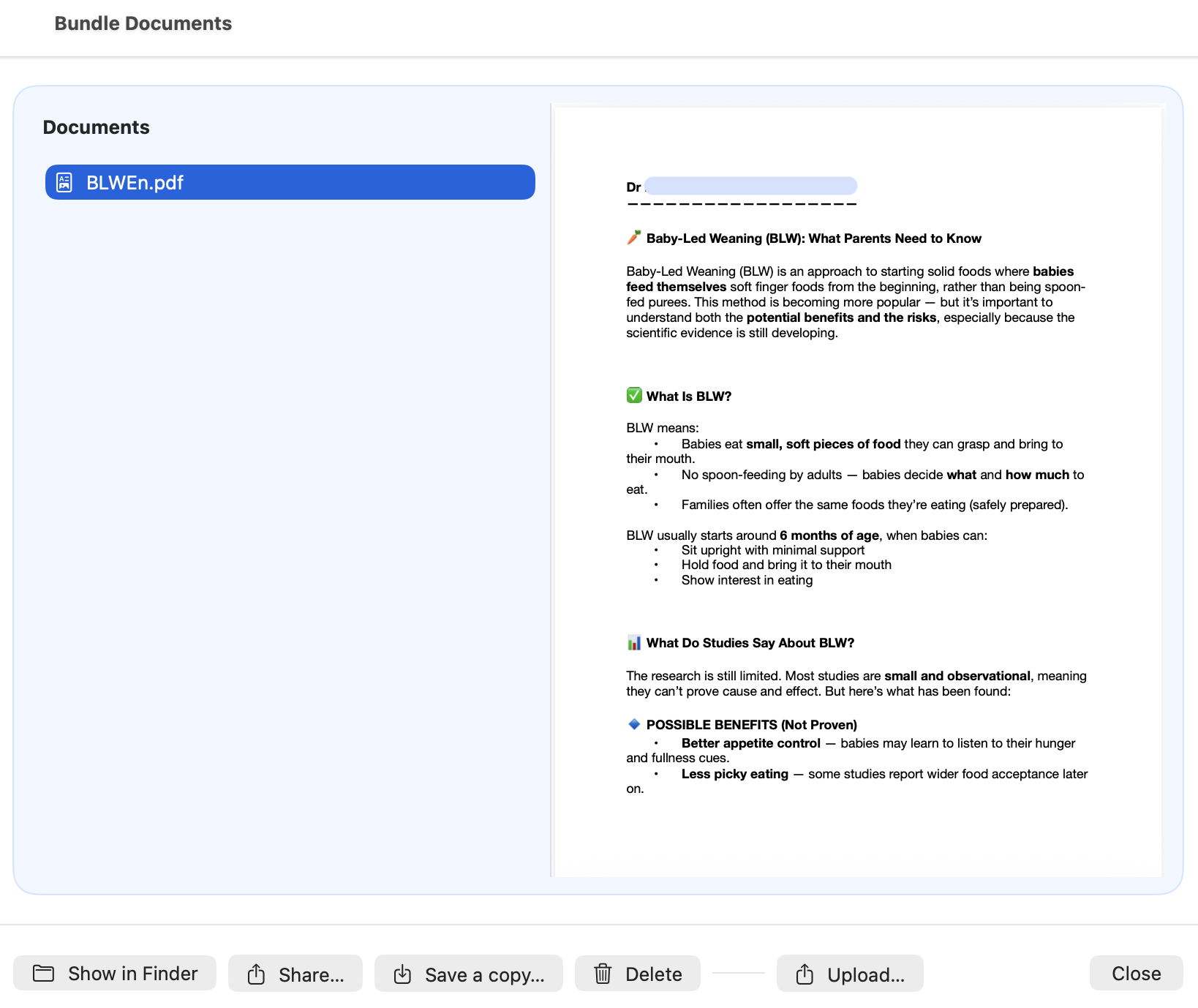
Documents
Documents attached to a patient are stored in the bundle /docs folder.
Examples include:
- Vaccination records
- Lab reports
- Imaging results
- Parent-provided documents
These documents travel with the patient bundle.
Documents
CareFlow Kids allows clinicians to attach external medical documents to a patient record.
These documents are stored directly inside the patient bundle in the /docs folder.
Examples include:
- vaccination records
- laboratory reports
- imaging results
- discharge summaries
- parent‑provided documents
Documents are stored as normal files so they can be easily opened outside the application if needed.
Where documents are stored
Every patient bundle (.pemr) contains a document folder:
.pemr
├── db.sqlite
├── manifest.json
└── docs/
The docs/ folder contains all uploaded files associated with the patient.
This design ensures that documents travel with the patient bundle when it is exported or shared.
Adding a document
To attach a document to a patient:
- Open the patient bundle.
- From the main dashboard, click the Documents button.
- In the Documents panel, click Upload document.
- Select the file from your computer.
Documents should always be added through this dedicated interface. Files should not be manually inserted into the bundle by opening the .pemr file.
Viewing documents
Uploaded documents can be opened directly from the Documents panel.
Typical uses include:
- reviewing laboratory results
- checking vaccination records
- accessing imaging reports
Because documents remain normal files, they can also be opened by the operating system's default viewer.
Although documents can technically be accessed by unzipping a .pemr bundle and opening the docs/ folder, this should be considered a last resort. Directly modifying the contents of the bundle outside the application may break the bundle's integrity. Documents should normally be accessed through CareFlow Kids or CareView Family.
Deleting a document
If a document was uploaded by mistake, it can be removed from the document list.
Deleting a document removes the file from the docs/ folder of the patient bundle.
Documents and patient bundles
When a patient bundle is exported:
- the database (
db.sqlite) - the manifest (
manifest.json) - the documents folder (
docs/)
are all included in the .pemr file.
This ensures that clinical data and attached files always remain together.
Documents in CareView Family
Documents stored in the bundle are also visible in CareView Family, allowing parents or patients to:
- view uploaded files
- access reports
- keep important medical documents together with the record
Parents or patients may also add documents from CareView Family. When a bundle is later imported into CareFlow Kids, these documents become available to the clinician in the Documents panel, allowing families to contribute relevant medical information between consultations.
Screenshots
Screenshot (TODO)