Reports
CareFlow Kids can generate structured clinical reports from visit data.
Reports provide a human‑readable clinical summary derived from the structured medical record stored inside the .pemr bundle.
Reports are designed to be:
- human‑readable
- medically structured
- portable
- easy to share with families
How reports are generated
Reports are generated on demand from the structured clinical data stored in the patient database.
They are not stored as permanent PDF files inside the .pemr bundle.
Instead, the bundle stores the structured visit data, and the application generates the report when needed.
This design has several advantages:
.pemrfiles remain very lightweight, even for patients with many visits- reports can be regenerated with updated formatting
- both CareFlow Kids and CareView Family can produce the same report from the same data
flowchart LR
    A[Structured visit data<br>stored in db.sqlite]
    B[Report generator]
    C[Formatted clinical report]
    D[PDF export]
    E[DOCX export]

    A --> B
    B --> C
    C --> D
    C --> E
Types of reports
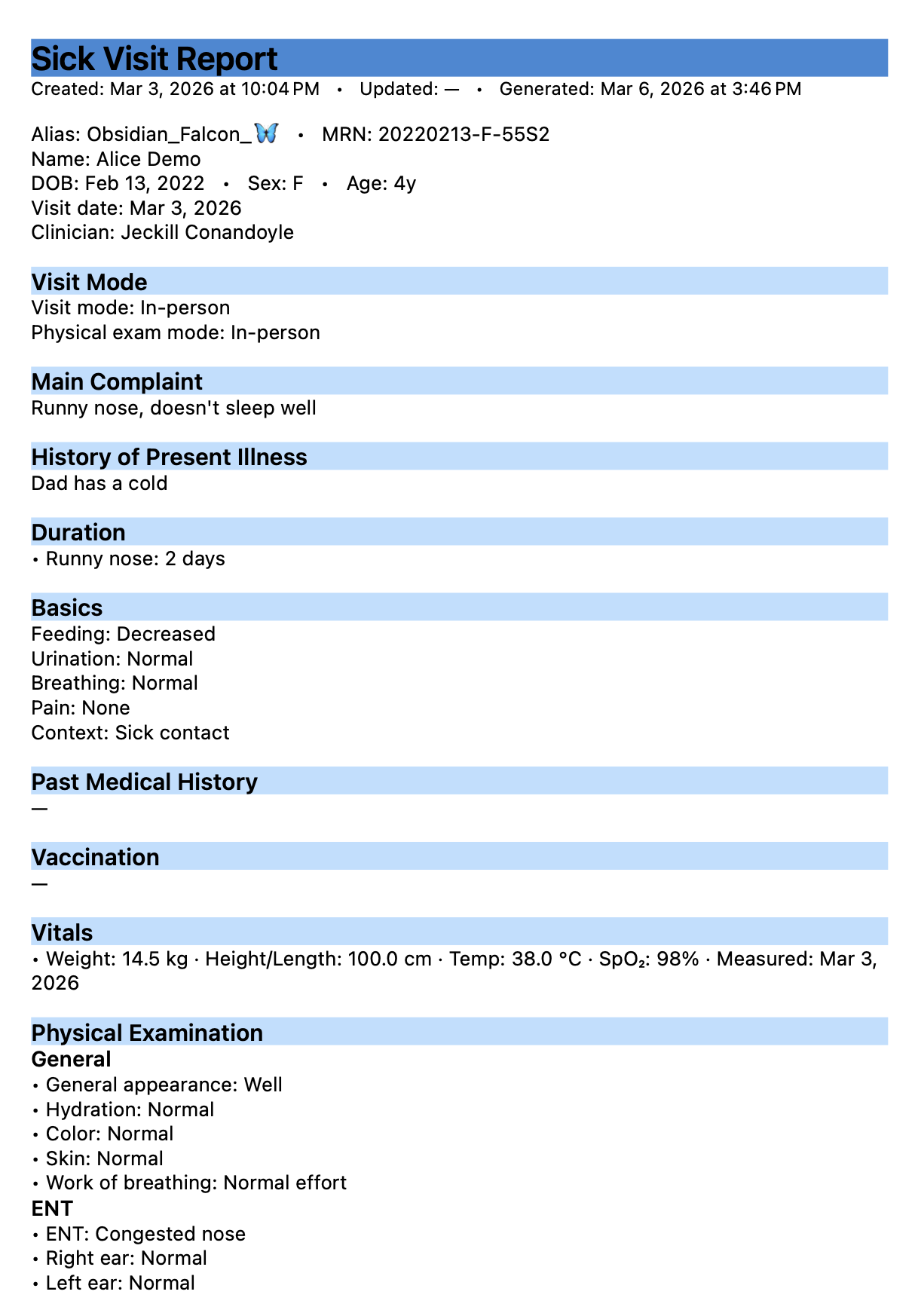
Sick visit reports
Generated from illness episodes.
Typical contents include:
- patient demographics
- presenting symptoms
- vital signs
- physical examination findings
- working diagnosis
- treatments or prescriptions
- clinical summary
Well visit reports
Generated from preventive care visits.
Typical contents include:
- growth measurements
- growth charts
- milestone assessment
- feeding and sleep summary
- physical examination findings
- preventive guidance
Generating a report
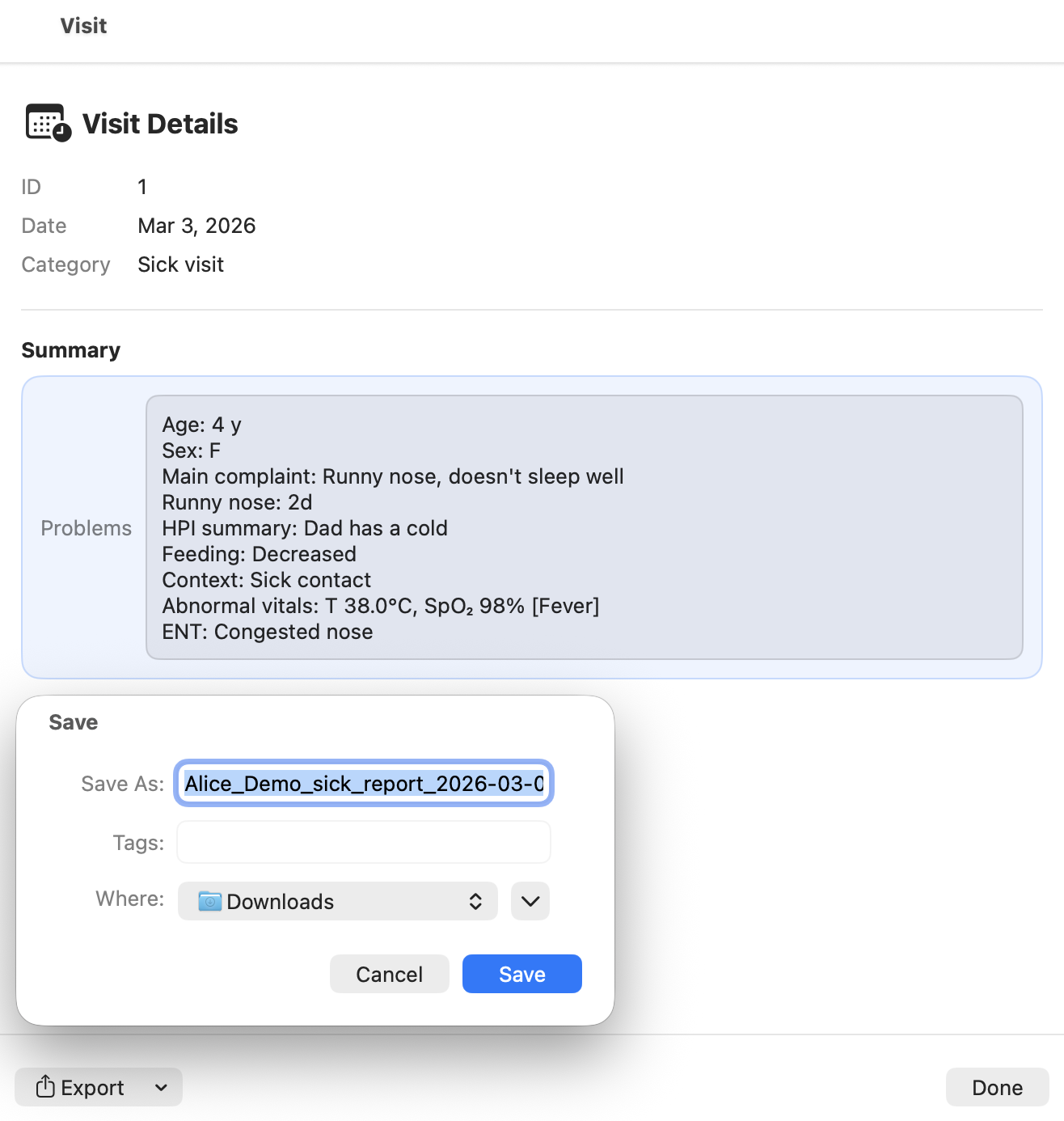
Reports are generated from the visit list.
Typical workflow:
- Open the patient bundle.
- Select the visit in the visit list.
- Click the Details button.
- Generate the report in the desired format.
Reports can be generated at any time, even long after the visit was recorded.
Export formats
Reports can be exported as:
- PDF (most common format)
- DOCX (editable format)
These formats allow reports to be:
- printed
- emailed
- stored in external systems
Reports in CareView Family
When a family opens a .pemr bundle in CareView Family, the application can generate the same reports directly from the stored data.
Parents can therefore:
- view visit summaries
- export reports
- keep medical documentation for school, insurance, or other healthcare providers
Screenshots
Screenshot (TODO)