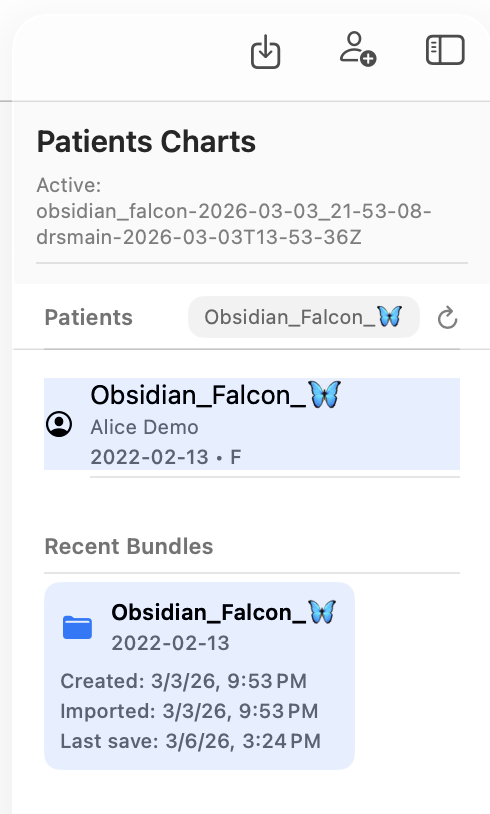
Patient demographics
Patient demographics describe the basic identifying characteristics of the patient.
These fields help ensure that the correct patient record is used during consultations and that medical information is associated with the right individual.
Patient demographic information is stored inside the **.pemr bundledatabase (db.sqlite`).
Core demographic fields
Typical demographic information includes:
- family name
- given name
- date of birth
- sex
These fields are required because they are essential for:
- identifying the patient
- calculating the patient's age
- displaying correct information in reports
Age calculation
CareFlow Kids automatically calculates the patient's age based on the date of birth.
Age is used in many clinical contexts, including:
- pediatric growth charts
- visit summaries
- medical documentation
Because age is derived automatically, the date of birth must be entered carefully.
Relationship with visits
Patient demographic information is shared across all visits belonging to that patient.
This means:
- sick visits
- well visits
- reports
all reference the same patient demographic data.
Updating demographic information therefore affects all future documentation generated from the patient record.
Demographics and the .pemr bundle
Demographic data is part of the patient's portable record.
When a .pemr bundle is exported:
- the demographic information travels with the bundle
- the receiving application restores the patient identity
This ensures that the medical record remains consistent across applications.
Practical guidance
When creating or editing a patient:
- verify spelling of the family and given name
- verify the date of birth carefully
- confirm the sex recorded in the file
Accurate demographic information helps prevent patient identification errors.