View visit reports
CareView Family allows parents to review the medical visits recorded for the child.
These visits come from the .pemr bundle provided by the doctor and represent the consultations performed in CareFlow Kids.
The visit section allows families to:
- review the report of each medical visit
- understand the doctor's observations
- keep a readable record of consultations
Accessing the visit list
After opening a .pemr bundle, visits can be accessed from the main dashboard.
- Open the patient record in CareView Family.
- Tap View visits.
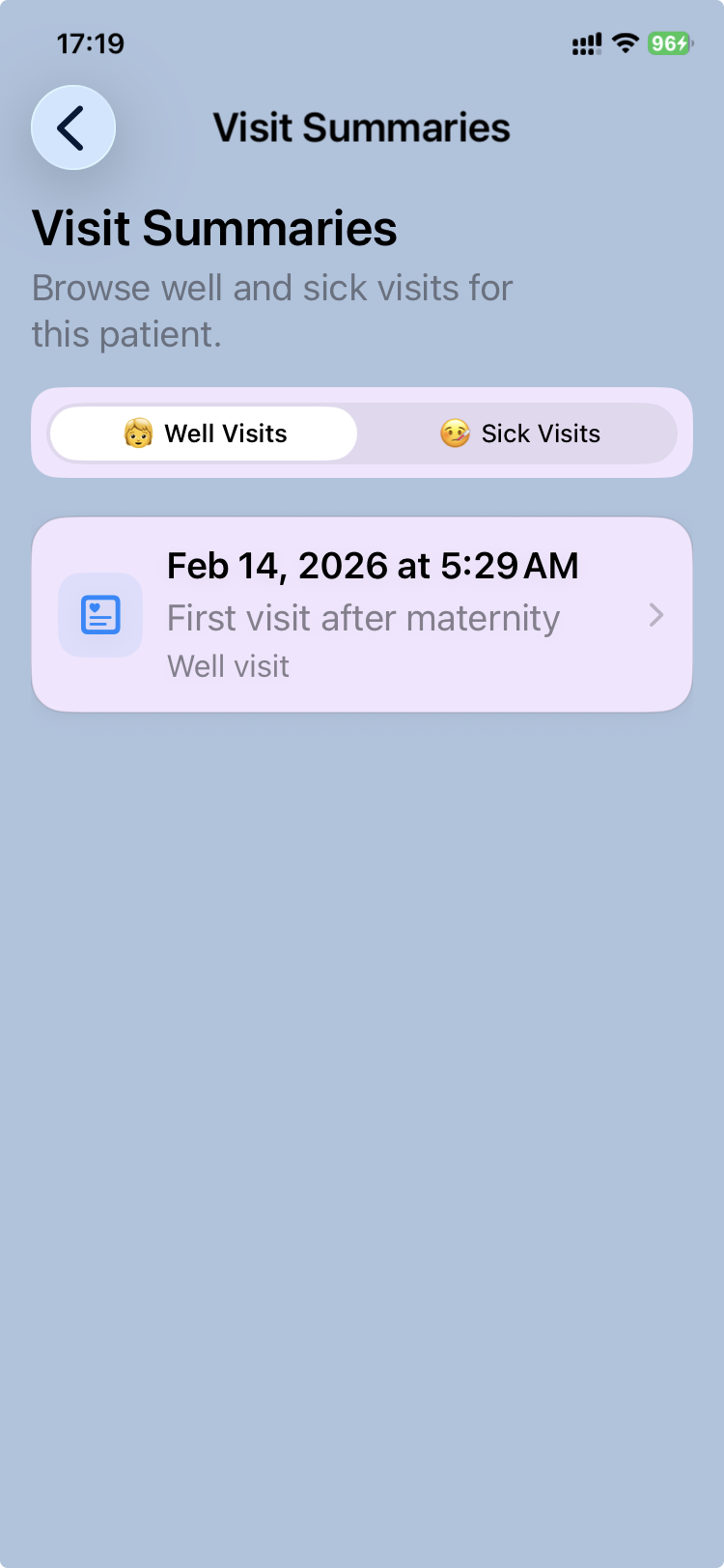
The application displays the visit list, which contains all recorded consultations for that child.
Understanding the visit list
The visit list displays visits in chronological order.
Each item shows:
- the date of the consultation
- the type of visit (for example well visit or sick visit)
- a short label describing the visit
Two categories of visits may appear:
- Well visits – preventive consultations focused on growth and development
- Sick visits – consultations related to illness
This separation helps families quickly identify the type of consultation.
Opening a visit report
To review the details of a consultation:
- Tap the visit in the list.
- The visit report opens.
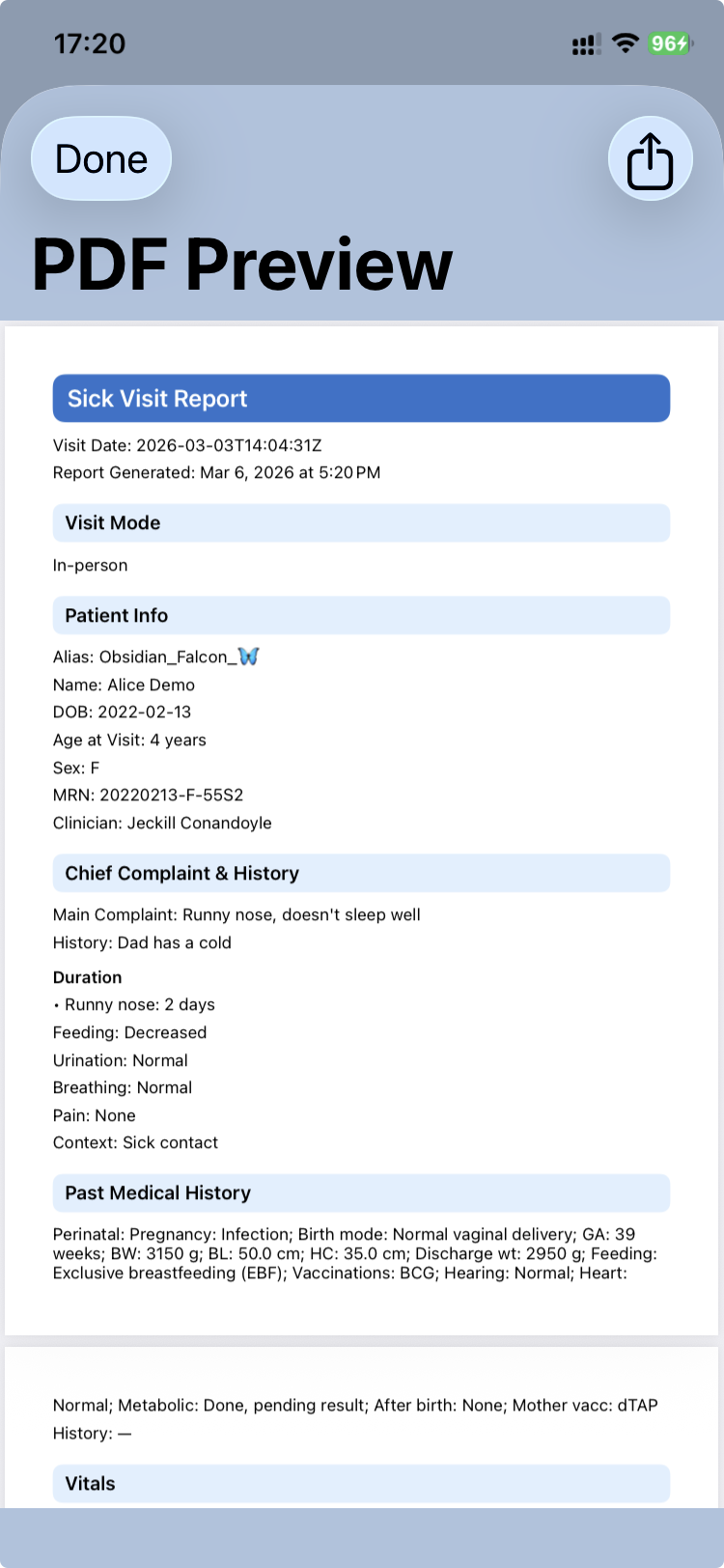
The visit report presents the key elements recorded by the doctor during the consultation.
The report may include:
- main concerns discussed during the visit
- growth evaluation
- developmental observations
- examination findings
- medical guidance or recommendations
Visit reports
Visit reports are generated on demand from the structured clinical data recorded during the consultation.
From the visit report screen, it is possible to:
- read the visit report
- export the PDF version of the report if needed
Reports provide a clean, structured version of the consultation that can be shared or archived.
Why visits are important
Keeping the visit history allows families to:
- follow the child's health over time
- review advice provided during previous consultations
- share medical information with other healthcare professionals when necessary
Because the visit history is stored inside the .pemr bundle, it remains portable and private.