AI clinical support
This page explains how AI assistance works during a sick visit in CareFlow Kids.
AI support is designed to assist the clinician by analyzing the structured clinical data recorded during the visit.
The system does not modify the patient record automatically and always requires clinical interpretation by the physician.
AI pipeline (at a glance)
flowchart LR
  A[Structured visit data<br>chief complaint, HPI, vitals, PE, context] --> B[Episode JSON<br>AI snapshot]
  B --> C[Local guideline rules<br>JSON logic]
  C --> D[Guideline flags / indicators]
  B --> E[Physician prompt template<br>from Physician Profile]
  E --> F[Online AI provider]
  F --> G[Structured AI answer]

  D -. informs .-> G
This diagram summarizes the sequence: structured data → JSON → local guideline rules → prompt template → online AI → clinician-reviewed output.
How the AI receives clinical information
CareFlow Kids collects structured clinical data during the consultation, including:
- chief complaint
- history of present illness
- vital signs
- physical examination findings
- contextual factors (travel, sick contacts, daycare, etc.)
- problem listing
All of this information is assembled into a structured JSON representation of the episode, generated from the structured fields recorded during the consultation.
This structured format allows the AI system to analyze the consultation in a consistent and reproducible way.
Episode JSON representation
Before sending a request to the AI model, CareFlow Kids generates a JSON snapshot of the episode.
This JSON includes:
- patient age
- key symptoms
- abnormal vital signs
- abnormal physical findings
- generated problem listing
- contextual information
The JSON representation can be viewed using:
“AI JSON preview”.
This allows the clinician to see exactly what information is provided to the AI system.
AI prompt configuration
The structure of the AI response is controlled by a clinical prompt template.
This prompt is defined in the Physician Profile section of the application.
The prompt instructs the AI to:
- rely on trusted medical sources
- provide structured answers
- avoid speculation when evidence is weak
Typical response structure may include:
- Summary answer
- Evidence snapshot
- Actionable suggestions
- Reference note
- Caution flags
This configuration allows each physician to control how the AI assistant behaves.
Recommendation indicators (local rules)
Before calling the AI model, CareFlow Kids can run local guideline rules, which can be setup by the physician using the guideline builder in the app (found in the physician profile).
These rules are executed locally using the structured clinical data.
They may generate:
- recommendation indicators
- clinical alerts
- guideline flags
These rules help detect situations such as:
- missing investigations
- red flags
- guideline-based recommendations
They operate independently from the AI model.
These rules are evaluated before any AI request is made, allowing guideline checks to run locally even without AI access.
Requesting AI assistance
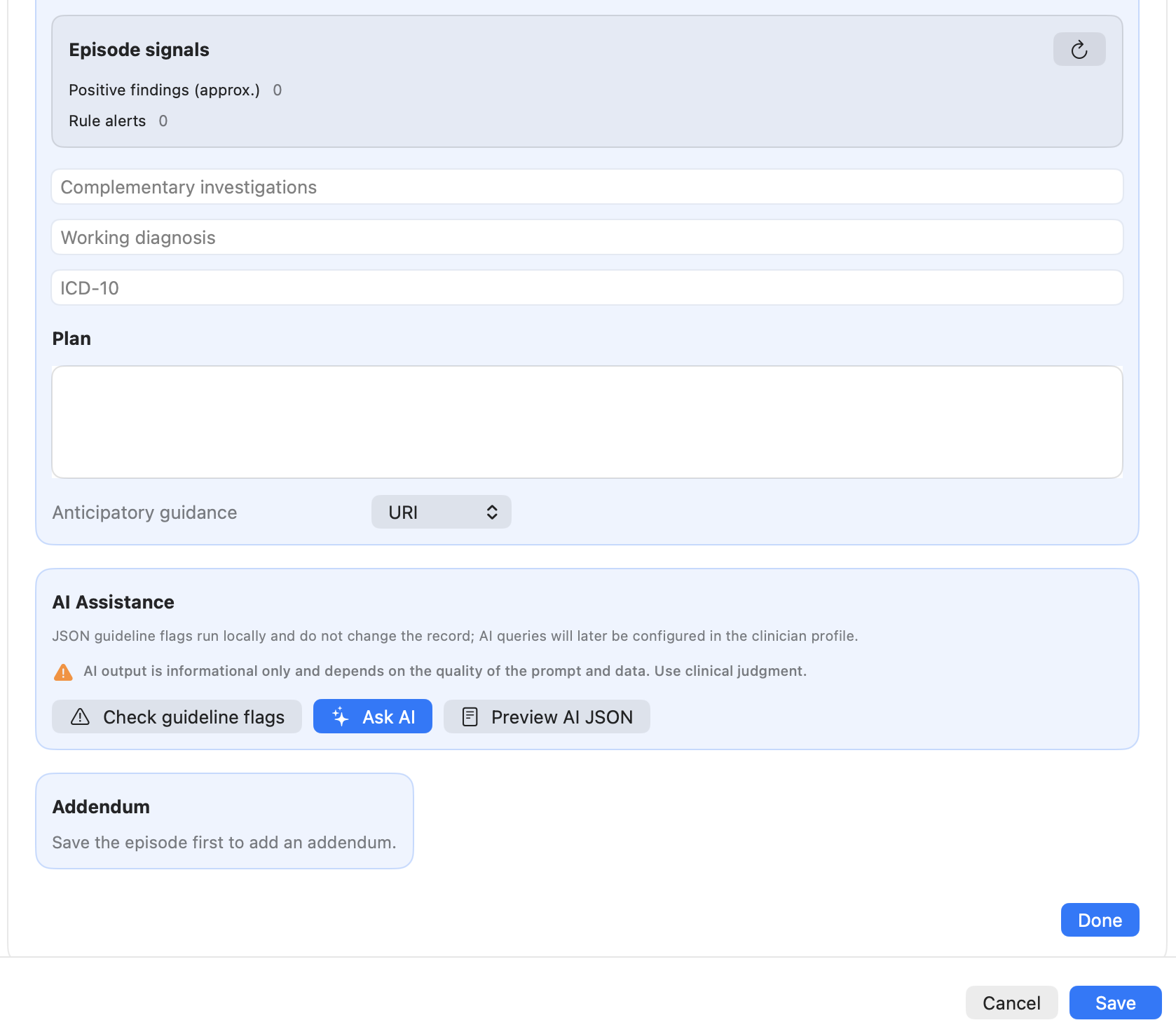
When the clinician clicks Ask AI:
- The episode JSON is generated.
- The physician prompt template is applied.
- The request is sent to the configured online AI provider.
Besides the clinical information contained in the episode, the AI request includes only the patient age and sex.
No direct identifiers are transmitted, such as:
- family name
- given name
- alias
- MRN
The AI then returns a structured answer based on the clinical context.
Important clinical safety note
AI output is informational only.
It may depend on:
- the quality of the entered clinical data
- the prompt configuration
- the medical knowledge available to the model
Clinical decisions must always remain under the responsibility of the physician.
Relationship with the "Ask AI" section
This page describes AI usage within the sick visit workflow.
More detailed documentation about:
- configuring AI providers
- prompt design
- advanced AI usage
is available in the Ask AI section of the manual.
Screenshots
Screenshot (TODO)