Sick visits
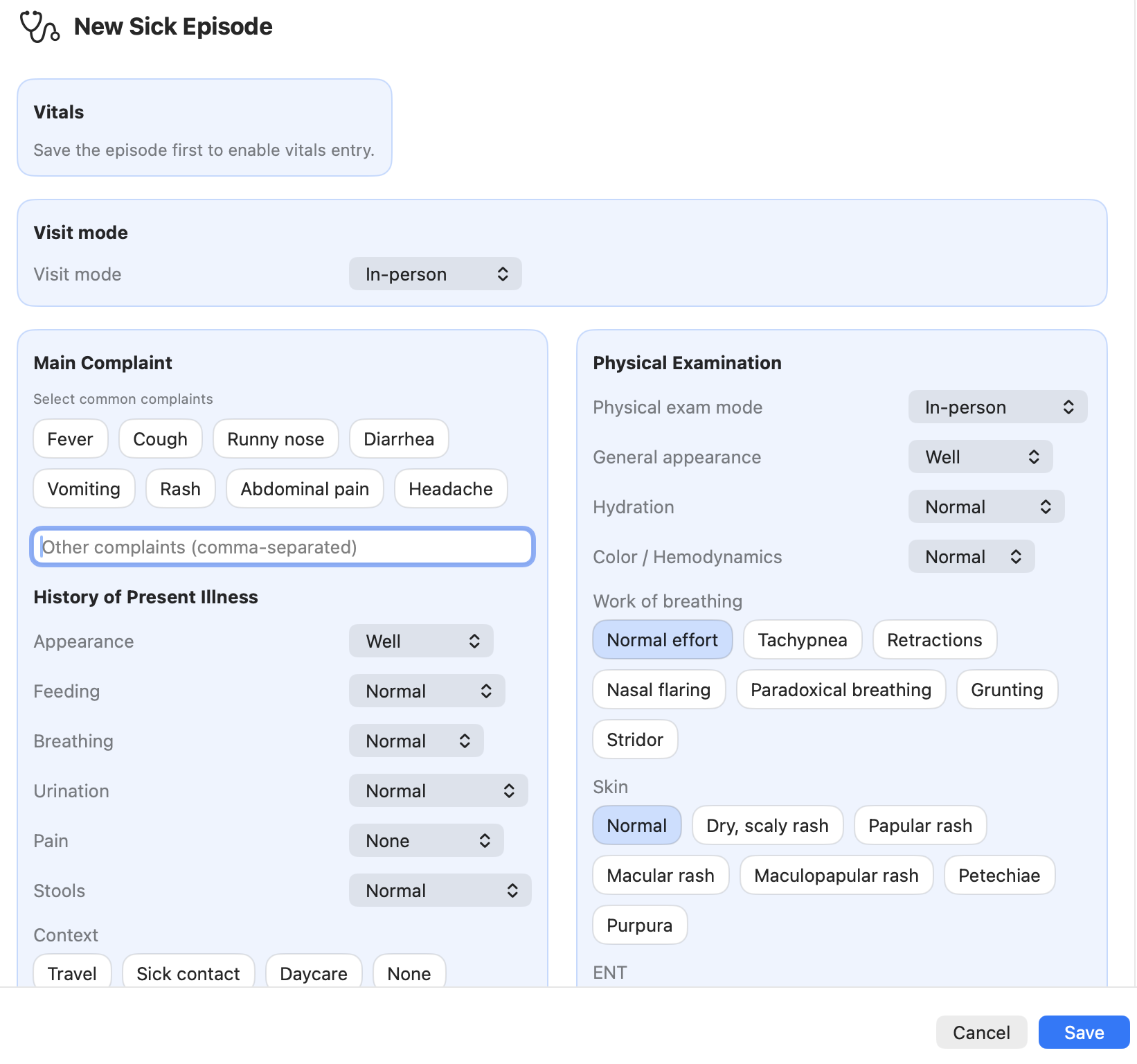
A sick visit documents an episode of illness (an acute problem) for a child.
Examples: - fever - respiratory infection - rash - abdominal pain - injury
Each sick visit becomes part of the patient’s longitudinal record stored in the .pemr bundle.
Workflow
- Select the patient's bundle in the sidebar
- Create a new episode (choose Sick visit)
- Save the visit to enable vitals recording
- Choose the visit mode: in-person or telemedicine
- Enter history and symptoms
- Record physical examination findings
- Generate the problem listing (use the Problem listing button to populate the field automatically)
- Review guideline matching flags (if enabled — see the Guidelines section of the manual)
- Review AI clinical suggestions (optional support — see the AI section of the manual)
-
Save the episode and click End / Done to close the examination form
-
Generate a report (PDF/DOCX) when needed by clicking on the details button in the consultation list view.
- Reports are generated on demand from the structured data (they are not stored as static PDFs in the bundle).
- Export the updated
.pemrbundle to share the cumulative record with the family
Good practice
After any meaningful change (new episode, edited demographics, added document), export the updated .pemr so the family always has the latest record.
Pages
Screenshots
Screenshot (TODO)