Open a .pemr bundle
CareView Family allows parents or patients to open a .pemr bundle, which contains the child's portable medical record.
A .pemr file typically comes from the doctor after a consultation using CareFlow Kids.
Opening the bundle in CareView Family allows the family to:
- review visit summaries
- view growth charts
- access attached documents
- add personal notes
What a .pemr bundle contains
A .pemr bundle is a portable patient record that may include:
- structured visit data
- growth measurements and charts
- developmental milestone records
- attached medical documents
The bundle is designed so the complete record can move safely between:
- CareFlow Kids (doctor app)
- CareView Family (patient viewer)
How to open a bundle
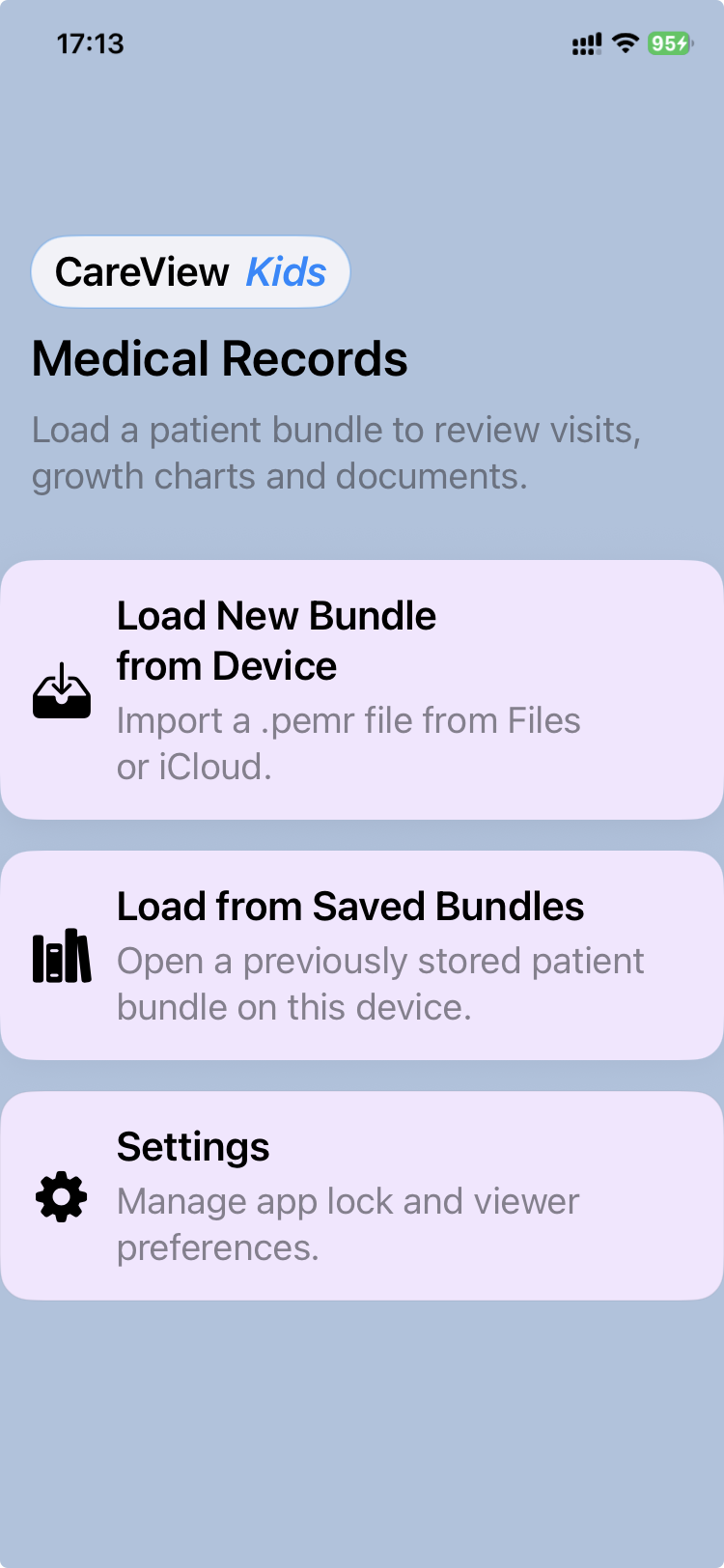
CareView Family allows two ways to access a patient record.
1. Import a new bundle
When a doctor sends an updated .pemr file, it should first be imported into the app.
- Launch CareView Family.
- Tap Load a new bundle from the device.
- Select the
.pemrfile from Files or iCloud.
The application then imports the bundle into its local library.
If a bundle for the same patient already exists, the app may ask whether you want to replace the existing bundle.
In most cases, you should confirm the replacement if the new bundle is more recent.
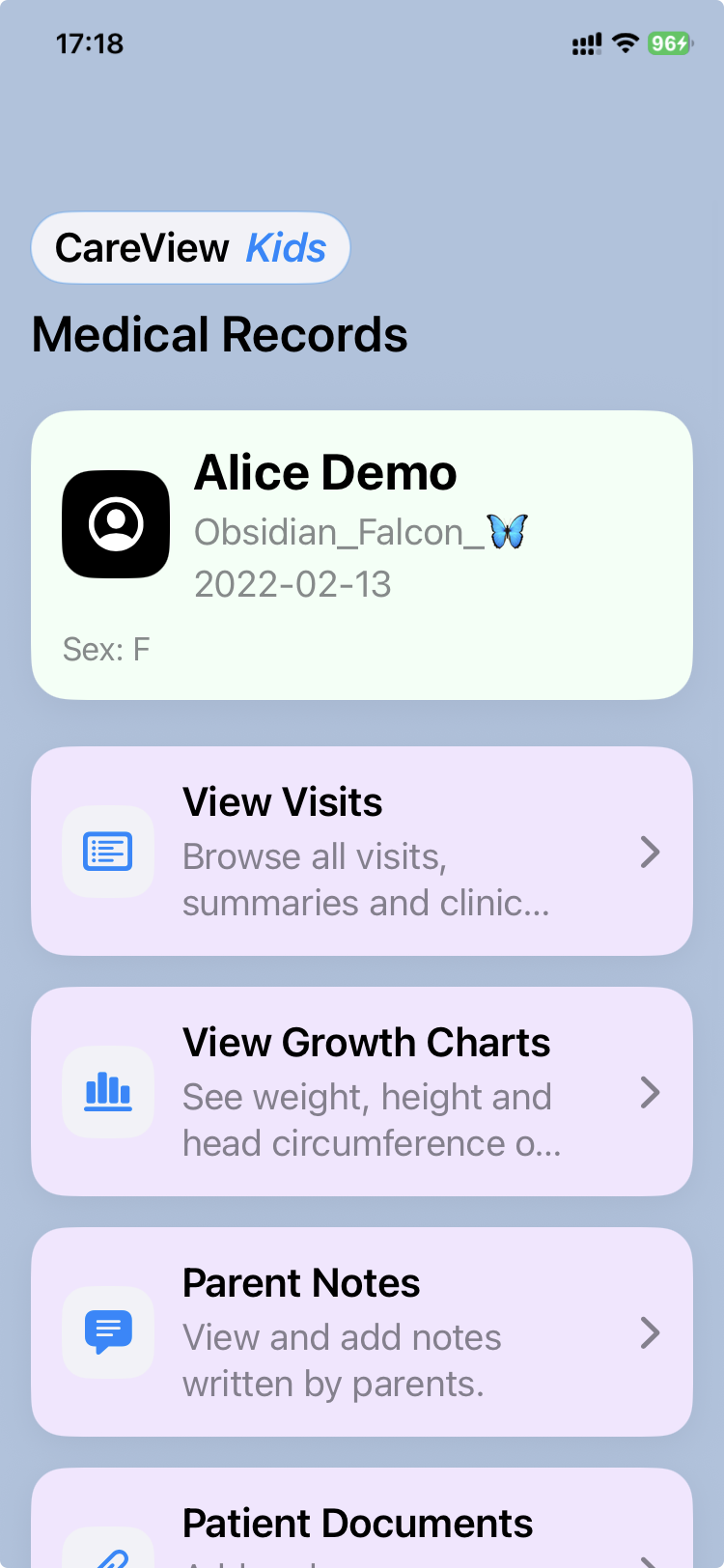
Once imported, the bundle opens automatically and the different sections of the medical record become available.
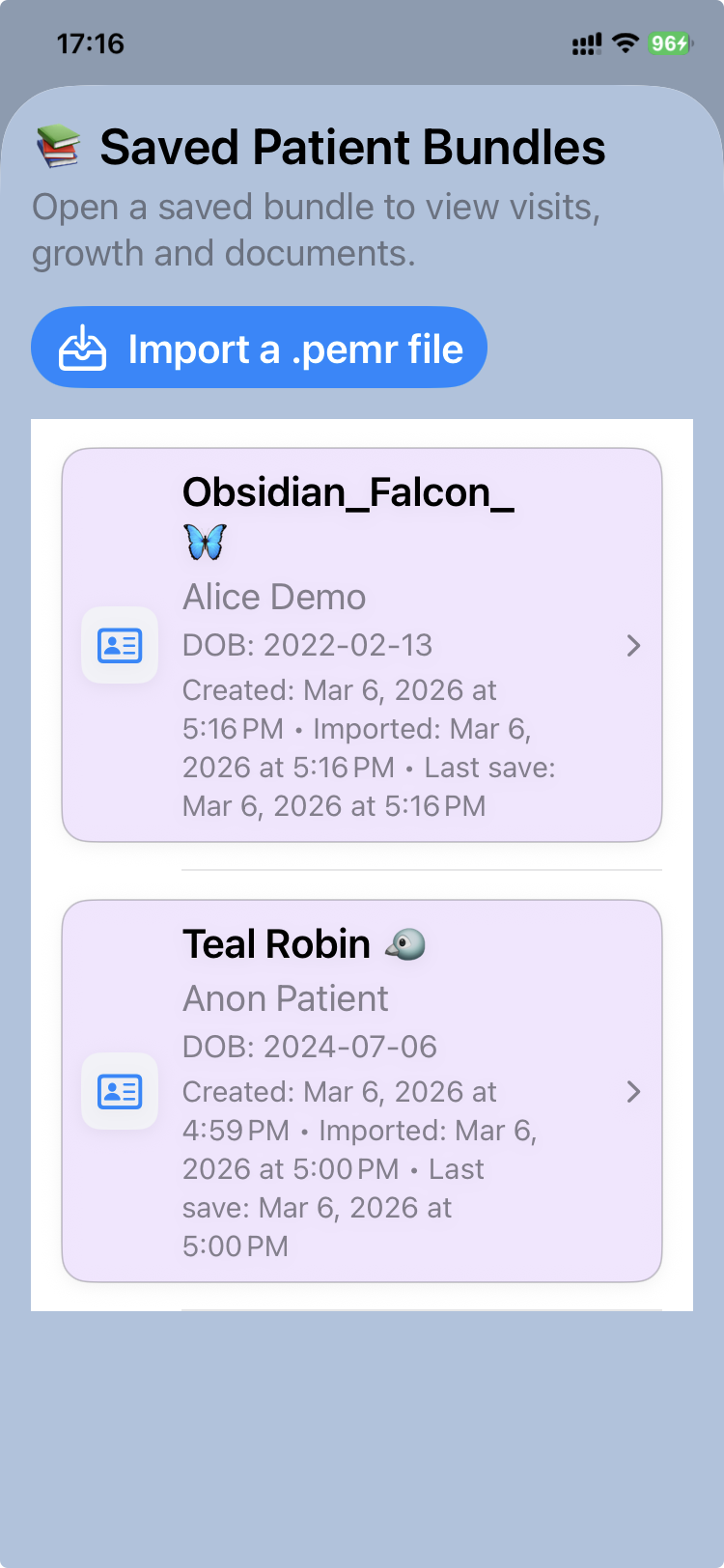
2. Open a bundle from the library
After a bundle has been imported once, it is stored in the local bundle library of the device.
To reopen a previously imported record:
- Tap Load from saved bundles.
- Select the patient record from the list.
The bundle will open and you can review visits, growth charts, documents, and notes.
The library can contain bundles for multiple children, allowing families with several children to keep their records together on the same device.
Where bundles usually come from
Most families receive .pemr bundles from their clinic after a consultation.
The doctor exports the updated record using CareFlow Kids and shares it with the family.
The bundle can then be:
- stored on a phone or computer
- reopened later in CareView Family
- shared again with the clinic when needed by the doctor
Keeping the bundle safe
The .pemr file is the complete portable medical record for the child.
It is recommended to keep a backup copy of the bundle in a safe location such as:
- a computer
- a phone or tablet
- a secure cloud storage location
Important note
Although .pemr files are technically archive files, they should normally not be opened or modified manually outside the application.
The safest way to access the medical record is through CareView Family.