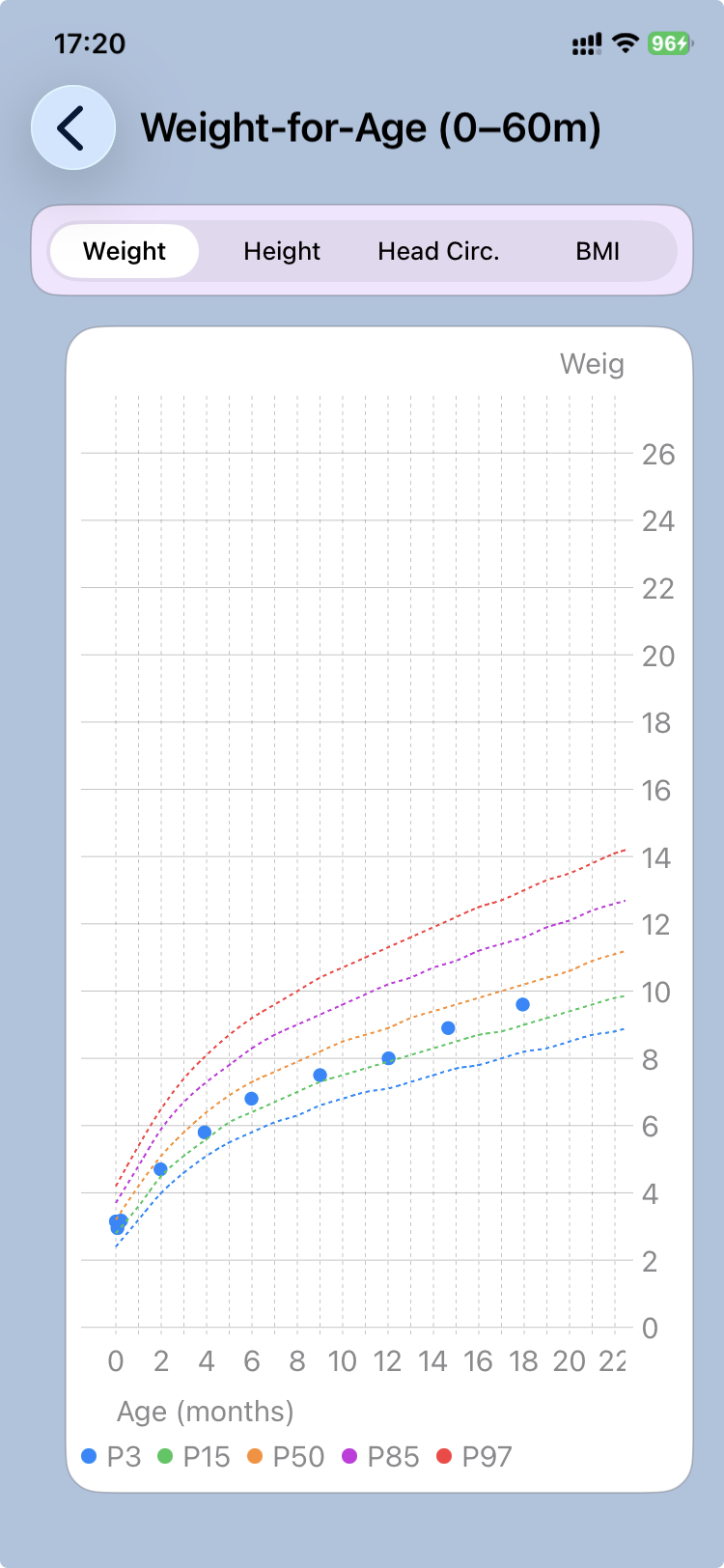
View growth charts
CareView Family allows parents to follow the child's growth over time using the measurements recorded by the doctor.
Growth data is part of the .pemr medical record and comes from measurements entered during medical visits or added to the growth table by the clinician.
This section helps families understand how the child is growing compared with normal pediatric growth patterns.
Accessing growth charts
After opening a .pemr bundle:
- Open the patient record in CareView Family.
- Tap View growth charts.
The application displays charts that show how the child's measurements evolve over time.
What measurements are shown
Growth charts are built from measurements recorded in the medical record, including:
- Weight
- Height / Length
- Head circumference
- Body mass index
Each point on the chart corresponds to a measurement taken during a consultation or entered in the growth table.
Understanding the charts
The charts compare the child's measurements to standard pediatric growth references.
This helps visualize:
- whether growth follows a normal pattern
- whether growth is accelerating or slowing
- how measurements compare with children of the same age
Growth charts are primarily used by doctors to interpret development, but they also help families visualize long‑term growth trends.
Why growth tracking matters
Tracking growth helps monitor important aspects of a child's health, including:
- nutritional status
- normal physical development
- early detection of growth concerns
Because the data is stored in the .pemr bundle, growth history remains available even if the record is shared between devices.