Bundle won’t open
If a .pemr bundle does not open in CareFlow Kids or CareView Family, the problem is usually related to one of the following situations.
This page lists the most common causes and quick checks.
Check that the file is a .pemr bundle
Make sure the file you are trying to open actually ends with:
.pemr
If the file was renamed or modified during transfer, the application may not recognize it as a valid bundle.
Verify the bundle was transferred completely
If the file was sent by email, messaging, or downloaded from cloud storage, it may have been partially downloaded or corrupted.
Try the following:
- Delete the current copy.
- Download or receive the file again.
- Attempt to open the new copy.
Check that the bundle was not modified manually
A .pemr file should not be opened or modified manually outside the application.
If the bundle was unzipped or its internal files were changed, the application may refuse to open it because:
- file integrity checks fail
- the internal structure was altered
If this happened, request a new export of the bundle from the doctor.
Verify that the bundle is not outdated or incompatible
In rare cases, a bundle created with a much older version of the application may not open correctly.
Try:
- updating CareFlow Kids or CareView Family to the latest version
- re-importing the bundle
Integrity verification failed
CareFlow Kids uses integrity checks to verify that the database inside the bundle has not been altered.
If the integrity verification fails, the application may block the bundle from opening to protect the medical record.
This can happen if:
- the file was corrupted during transfer
- the internal files were modified
The safest solution is to obtain a fresh copy of the bundle from the original source.
When to contact support
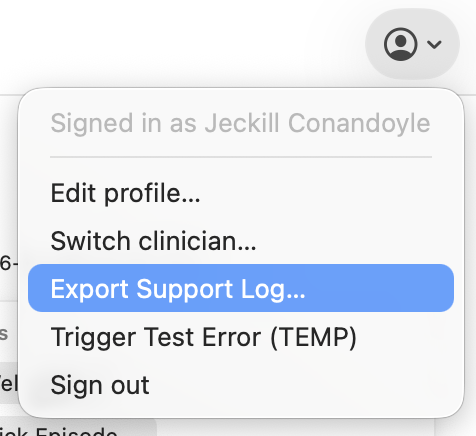
If the bundle still does not open after these checks, it may help to provide a support log.
From the application menu you can:
- Open Settings.
- Export the support log.
- Share it with the support team if requested.
The support log can help identify the exact cause of the issue.