Creating a well visit
This page explains how to start and complete a well visit in CareFlow Kids.
A well visit is a preventive pediatric consultation focused on growth, development, nutrition, physical examination, and anticipatory guidance.
Unlike a sick visit, the goal is not to evaluate an acute illness, but to assess the child's overall health and developmental progress at an expected age milestone.
Before opening the visit
- Select the patient bundle in the sidebar.
- Open the Growth Table from the dashboard Measures section.
- Enter the most recent growth measurements (weight, height/length, head circumference when available).
Recording growth measurements first is important because the well visit will immediately display:
- growth chart positioning
- growth trend analysis
- weight gain interpretation when relevant
Entering the measurements before opening the visit ensures that the growth evaluation shown during the visit is accurate.
Starting a well visit
- Select the patient bundle in the sidebar (if not already selected).
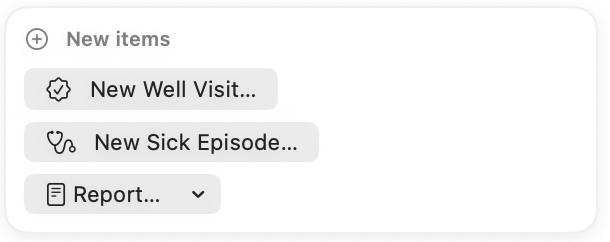
- Create or open the relevant well visit.
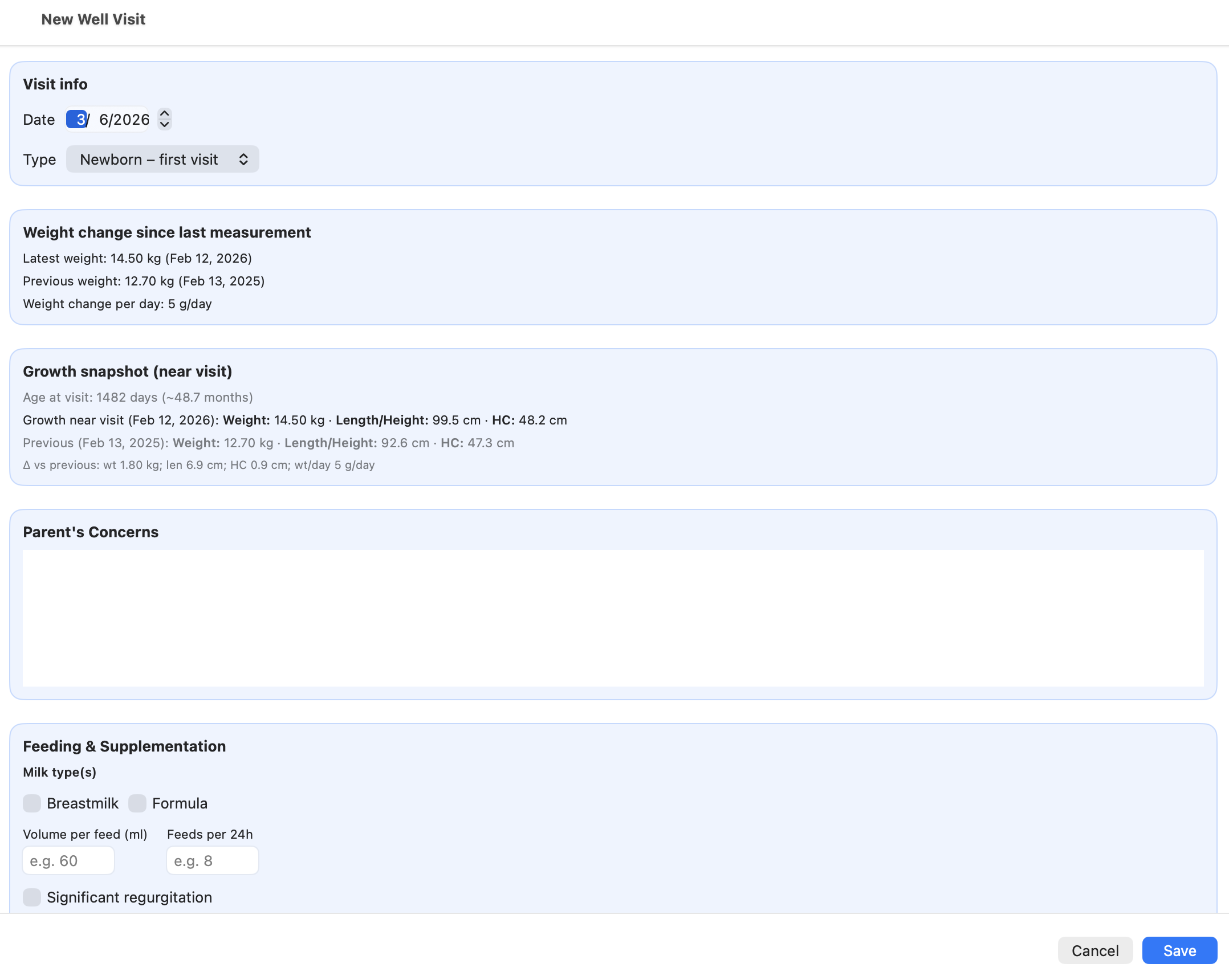
- Choose the age‑specific visit type (for example: newborn visit, 1‑month visit, 2‑month visit, etc.).
- The structured well visit form opens.
- Review the growth information automatically retrieved from the Growth Table.
Well visits are organized around expected pediatric follow‑up ages. Each visit type focuses on the clinical questions most relevant for that stage of development.
For example:
- early visits focus on feeding, weight gain, and early adaptation
- infant visits emphasize motor and social developmental milestones
- later visits focus more on long‑term growth and developmental progression
This age‑structured design helps guide the clinician through the preventive evaluation appropriate for each stage.
Main sections of the well visit form
The well visit form is organized around preventive pediatric follow-up.
Growth
The visit displays the patient's available growth data and associated growth analysis.
This may include:
- weight trend
- height / length trend
- head circumference trend
- z-scores and percentiles
- weight gain analysis (especially in young infants)
Developmental milestones
The clinician reviews milestone items appropriate for the patient's age.
This allows the visit to document:
- milestones achieved
- milestones of concern
- areas requiring follow-up
Feeding and nutrition
The visit records nutritional information such as:
- breast or formula feeding
- solids / complementary feeding
- appetite or feeding issues
Sleep
The visit records relevant information about:
- sleep duration
- sleep quality
- sleep-related concerns
Physical examination
The physical examination records structured preventive findings.
Conclusions and guidance
The clinician can summarize:
- the overall preventive assessment
- recommendations
- anticipatory guidance for the family
AI support (optional)
Well visits can also use the AI assistant when configured in the Physician Profile.
The AI receives the structured information recorded during the visit, including:
- growth data
- developmental milestones
- feeding information
- physical examination findings
A dedicated well‑visit prompt can be configured in the Physician Profile to guide how the AI analyzes this preventive data.
As with sick visits, AI responses are informational support only and clinical decisions remain under the responsibility of the physician.
Problem listing and visit summary
At the end of the visit, CareFlow Kids can generate a problem listing based on the structured information recorded during the consultation.
The problem listing may include:
- parental concerns
- abnormal growth findings
- developmental concerns
- sleep or feeding issues
- screening results (for example M‑CHAT)
This generated list helps summarize the most clinically relevant points of the visit.
After the visit is saved, the resulting summary can be reviewed from the visit list:
- Open the patient's visit list.
- Click the Details button next to the visit.
This opens the visit summary, where the problem listing and structured visit information are displayed.
Addendum (post‑visit notes)
Well visits also include an Addendum section.
The addendum allows the clinician to add additional information after the visit has been completed, for example:
- follow‑up information received later
- clarification after reviewing test results
- additional parental observations
Addendum entries remain linked to the original visit and become part of the longitudinal medical record.
This allows clinicians to update the visit documentation without modifying the original consultation data.
Well visit lifecycle
The typical lifecycle of a well visit in CareFlow Kids can be summarized as follows:
flowchart LR
    A[Select patient bundle] --> B[Enter growth data in Growth Table]
    B --> C[Create well visit]
    C --> D[Complete structured visit form]
    D --> E[Generate problem listing]
    E --> F[Save visit]
    F --> G[Review visit summary]
    G --> H[Generate report if needed]
    H --> I[Export updated .pemr bundle]
This diagram reflects the normal preventive consultation workflow:
- growth data entered first
- visit completed using structured sections
- problem listing generated automatically
- visit saved and reviewed in the visit summary
- report generated when required
- updated
.pemrbundle exported to keep the portable record current
Saving the well visit
After completing the form:
- Click Save.
- Review the generated content if needed.
- Generate a report when required.
The visit then becomes part of the patient's longitudinal preventive record.
Reports and export
A well visit report can be generated on demand from the visit data.
After the visit is complete, clinicians should export the updated .pemr bundle so that the portable patient record remains current.