Exporting Patient Bundles
CareFlow Kids can export a full patient record as a .pemr bundle.
A .pemr bundle is a portable patient record that contains the structured medical information, attached documents, and metadata needed to reconstruct the record in another application.
Bundles allow the patient record to move safely between:
- CareFlow Kids (doctor application)
- CareView Family (patient / family viewer)
This design supports a portable, patient‑controlled medical record.
When to export a bundle
Exporting a bundle is typically done:
- after a consultation
- when the record has been updated
- when the family needs the latest version of the patient file
Clinicians are encouraged to export the updated bundle before removing the patient from the active workspace.
How to export a bundle
- Open the patient bundle in CareFlow Kids.
- Go to the Patient dashboard.
- Click the Export bundle button.
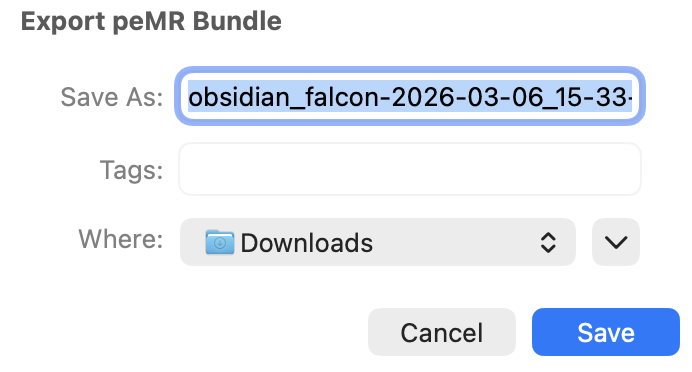
- Choose a location to save the file.
CareFlow Kids then generates a .pemr file containing the full patient record.
Contents of the bundle
A .pemr bundle contains the following structure:
.pemr
├── db.sqlite
├── manifest.json
└── docs/
- db.sqlite → encrypted structured medical record
- manifest.json → bundle metadata and integrity information
- docs/ → attached documents (labs, imaging, vaccination records, etc.)
Reports inside the bundle
Visit reports are not stored as PDF files inside the bundle.
Instead, the bundle stores the structured clinical data used to generate reports.
When a report is requested:
- CareFlow Kids
- or CareView Family
can generate the report on demand from the database.
This keeps .pemr files very lightweight, even for patients with many visits.
Using the bundle in CareView Family
Families can open the .pemr file in CareView Family to:
- view visit summaries
- view growth charts
- access documents
- add notes or documents
When the family exports an updated bundle from CareView Family, it can later be re‑imported into CareFlow Kids to update the clinical record.
Keeping a backup of the patient bundle
Families are encouraged to keep a backup copy of the .pemr file in a safe place.
Typical locations include:
- a computer
- a phone or tablet
- a secure cloud storage location
Keeping a backup ensures that the patient record can always be recovered if a device is lost or replaced.
The .pemr file is the complete portable medical record, so preserving a copy is recommended.
Patient record exchange workflow
The .pemr bundle allows the patient record to circulate between the doctor and the family while remaining a single cumulative record.
flowchart LR
    A[CareFlow Kids<br>Doctor consultation] --> B[Export .pemr bundle]
    B --> C[Open in CareView Family]
    C --> D[View reports / growth charts<br>Add notes or documents]
    D --> E[Export updated .pemr]
    E --> F[Import into CareFlow Kids<br>Next consultation]
    F --> B
This loop allows the patient record to remain continuously updated while staying portable.
Important safety note
A .pemr bundle should normally be handled only through the application interface.
Although it is technically possible to unzip the bundle and inspect its contents, modifying the internal files manually may break the integrity of the record.
Always use CareFlow Kids or CareView Family to modify bundle contents.