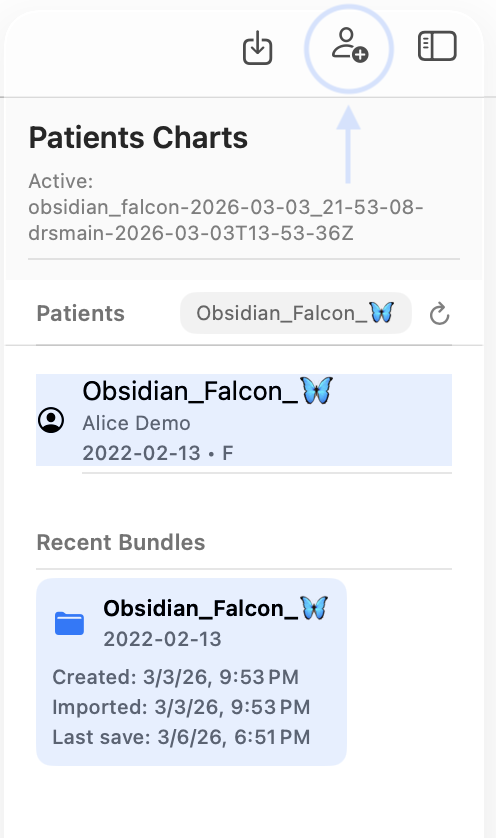
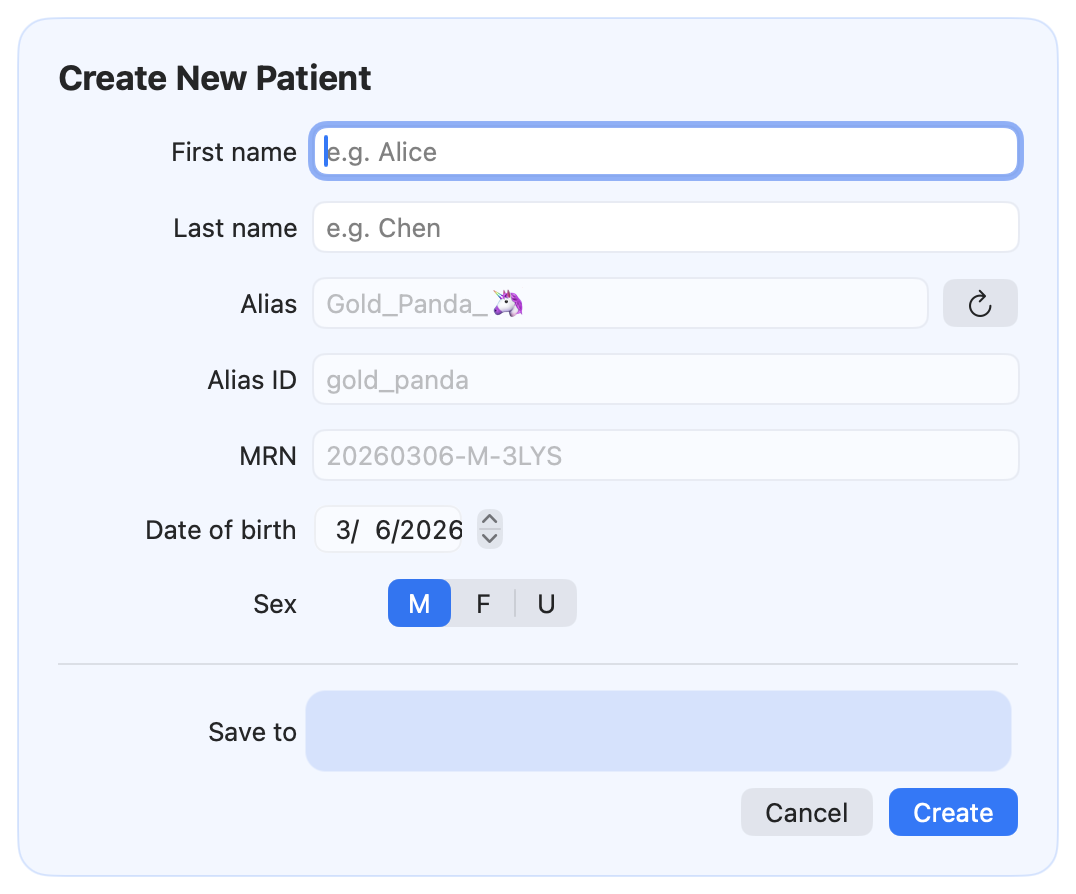
Create a new patient
This page explains the recommended workflow for creating a patient in CareFlow Kids.
When to create a new patient
Create a new patient when: - the child has never been seen in your CareFlow Kids database - you are starting a record for a newborn or a newly registered family
If the family provides an existing .pemr file, prefer Import instead of creating a new patient (so the record stays cumulative).
Workflow
1) Open Patient management
2) Select Create new patient
3) Enter the minimum required fields Recommended minimum: - family name - given name - date of birth - sex
4) Confirm identifiers - The app auto-generates an MRN, verify it was assigned. - The app auto-generate an alias
5) Save the patient
After creation: what to do next
Typically: - open the patient record - create the visit (Sick visit or Well visit) - document findings and vitals - generate a report when needed - export and share a .pemr when you want the family to have the updated record
Screenshots
Screenshot (TODO)