Search or open an existing patient
This page explains how to quickly find and open a patient record in CareFlow Kids.
In daily use, this is usually the most common entry point.
Before you create a new patient
Always search first to avoid duplicates.
Create a new patient only if:
- the child is truly not in your database, and
- the family does not provide an existing .pemr file.
If the family provides a .pemr, use Import instead (so the record stays cumulative).
How to access a patient
CareFlow Kids does not maintain a large searchable patient database.
Instead, the application works with individual patient bundles (.pemr) that are temporarily loaded into the app.
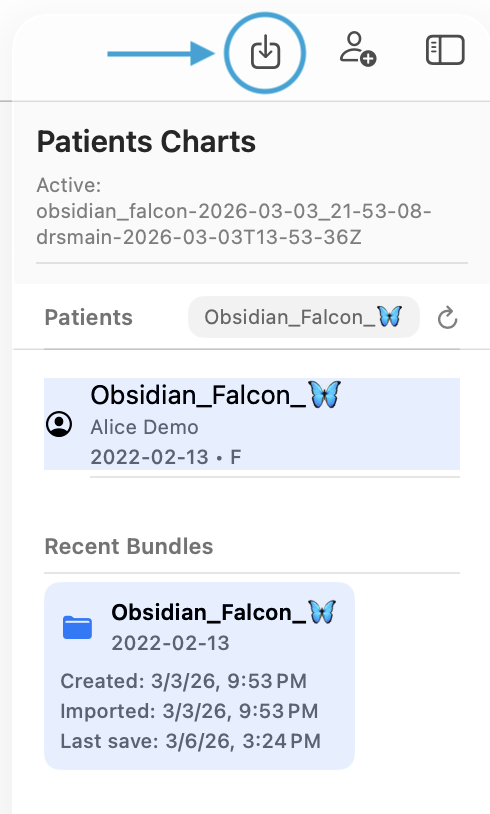
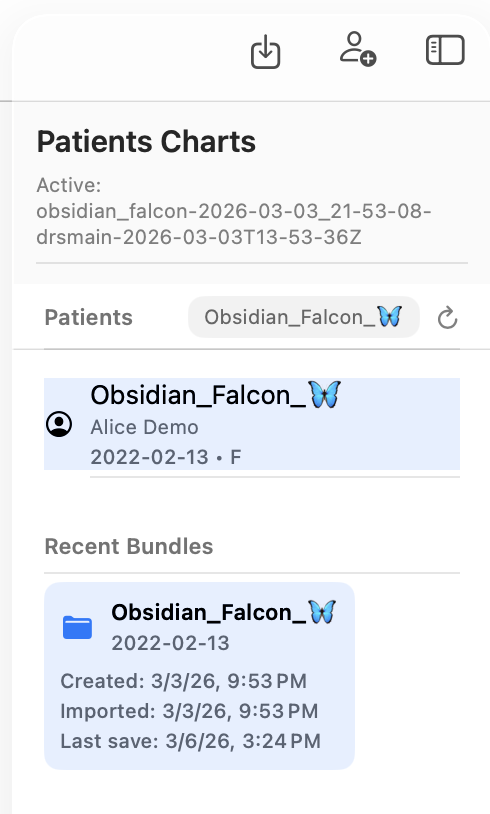
Patient bundles appear in the left sidebar under Recent bundles.
Typical ways to access a patient:
1) Import an existing patient bundle
Use the Import icon (top left).
This loads a .pemr bundle provided by the family or another clinic.
Once imported, the patient appears in the sidebar and can be opened.
2) Create a new patient
Use the Create patient icon (person with +, above the sidebar).
This creates a new patient bundle that becomes available in the sidebar.
3) Open a loaded patient
Patient bundles currently present in the application appear in the sidebar.
Select the patient to open the record and begin working with it.
Deleting a patient bundle
Patient bundles can be deleted by swiping them from the sidebar.
However, you should never delete a bundle before exporting it, otherwise the patient's record would be permanently lost.
Recommended workflow:
- Update the patient record
- Export the updated
.pemrbundle - Verify the export
- Only then remove the bundle from the app if desired
Open the patient record
When the patient appears in results:
- select the patient
- open the patient record (or set as active patient)
Once opened, you can:
- create a sick visit or well visit
- view previous visits
- generate a report on demand
- export a .pemr
Importing an existing .pemr
If you receive a patient bundle from the family or another clinic:
- choose Import from Patient management
- select the
.pemrfile
After import, the patient record becomes available in the database and can be opened normally.